
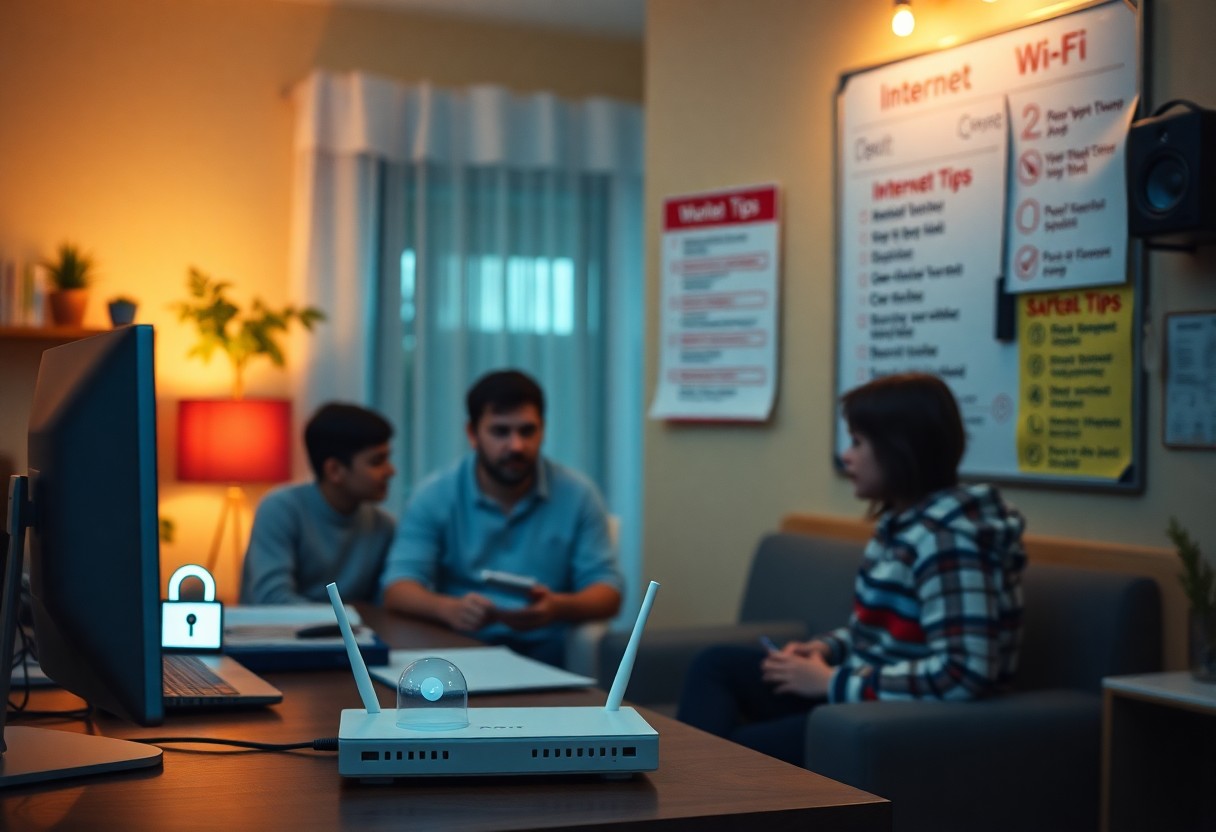
Safety is paramount in today’s digital age, especially when it comes to protecting your family online. You can take simple yet effective steps to enhance your home internet security, safeguarding your personal information and online activities. From adjusting router settings to educating your family about safe browsing habits, these strategies will help create a secure online environment. Implementing these tips will empower you to keep your loved ones safe while they navigate the internet.
Most families underestimate the importance of securing their home internet, which can leave them vulnerable to cyber threats. By implementing a few straightforward strategies, you can significantly enhance your online safety and protect your loved ones. This post will guide you through necessary steps you can take to create a safer digital environment, ensuring that your family navigates the internet with confidence and security.
Key Takeaways:
- Use strong, unique passwords for your Wi-Fi network and change them regularly.
- Enable WPA3 encryption on your router to enhance security.
- Set up parental controls to monitor and restrict your children’s online activity.
Key Takeaways:
- Utilize strong, unique passwords for your home Wi-Fi network and any connected devices.
- Regularly update your router’s firmware to protect against security vulnerabilities.
- Implement parental controls and monitoring tools to manage internet usage and ensure safety for children.
Understanding Online Threats
Awareness of online threats is necessary for safeguarding your family in the digital realm. Cybercriminals continuously develop new tactics, from phishing scams to malware attacks, putting your personal information at risk. By understanding these threats, you can better protect your family’s digital presence and secure your internet connection against unwanted intrusions.
Common Internet Risks
Familiarize yourself with prevalent online risks, including phishing, which involves deceptive emails aimed at obtaining sensitive information, and malware, malicious software designed to disrupt, damage, or gain unauthorized access to your devices. Other threats include identity theft and social engineering tactics that exploit human psychology to access confidential data. Each of these poses significant challenges to your family’s safety online.
Impact on Families
The effects of online threats can be profound and far-reaching for families. Cyber incidents not only result in financial loss but can also lead to emotional distress, particularly for younger users. The fear of losing personal information or facing online harassment can create a toxic digital environment that impacts overall well-being.
In today’s connected world, the ramifications of online threats often extend beyond mere data loss. Families may experience ongoing anxiety over privacy violations, leading to strained relationships and decreased trust in technology. Children exposed to cyberbullying or inappropriate content may show signs of distress, thereby affecting their mental health and academic performance. Addressing these issues proactively can foster a safer and more supportive online experience for everyone involved.
Understanding the Risks
In the digital landscape, the risks associated with internet usage can have serious repercussions for families. Cyber threats are ever-evolving and can lead to data breaches, identity theft, and exposure to inappropriate content. Knowing these risks is necessary in taking proactive measures to safeguard your family’s online experience.
Cyber Threats Overview
Cyber threats manifest in various forms, including malware, phishing attacks, and ransomware. These threats can severely compromise personal information and security. According to the Cybersecurity & Infrastructure Security Agency, malware infections increased by 300% during the pandemic, highlighting the importance of remaining vigilant against these dangers.
Risks for Children and Teens
Children and teens face unique risks online, such as cyberbullying, exposure to explicit content, and predatory behavior. With 70% of teens reporting interactions with strangers online, it is necessary to establish a safe digital environment. Their naivety and lack of experience make them particularly vulnerable to online manipulation.
Moreover, the rise of social media has made young users more susceptible to cyberbullying, with over 15% of high school students experiencing it. Social platforms can also expose them to inappropriate content and exploitation, as they might not recognize harmful interactions. Establishing open communication and monitoring their online activities can help mitigate these risks and protect their well-being in the digital space.
Strengthening Network Security
Enhancing your network security is necessary to safeguard your family’s online experience. Start by implementing a robust firewall, updating firmware regularly, and monitoring connected devices. By taking these actions, you can create layers of protection against unauthorized access and potential threats, ensuring a safer browsing environment for your family.
Changing Default Credentials
Changing the default login credentials for your router is a vital step in securing your network. Most routers come with factory-set usernames and passwords that are widely known, making them easy targets for cybercriminals. By creating a strong, unique password and a different username, you significantly reduce the risk of unauthorized access.
Enabling WPA3 Encryption
Switching to WPA3 encryption enhances your network’s security dramatically compared to its predecessors. This advanced standard provides stronger data protection and improves security for networks with multiple users. By opting for WPA3, you not only secure your personal information but also help prevent unauthorized access through improved encryption protocols.
WPA3 encryption offers an array of benefits, including better protection against brute force attacks and enhanced authentication processes. It enables individualized data encryption for each connected device, making it significantly more difficult for hackers to intercept and decode your information. Additionally, WPA3 supports public Wi-Fi security by mitigating vulnerabilities associated with open networks, providing a more secure connection for all of your family’s devices. Transitioning to WPA3 ensures that the sensitive activities you and your family engage in online remain safe from prying eyes.
Securing Your Wi-Fi Network
Your Wi-Fi network is often the gateway to your online safety, making it necessary to secure it properly. Using a strong password, updating security settings, and regularly monitoring connected devices can significantly reduce the risk of unauthorized access. This proactive approach ensures that your family’s online activities remain private and secure from potential cyber threats.
Changing Default Settings
Many routers come with default usernames and passwords that are easily accessible online. You need to change these settings immediately after installation to mitigate risks. Use a unique SSID that doesn’t disclose your identity or location, and set a complex password that combines letters, numbers, and symbols to enhance your network’s security.
Implementing WPA3 Security
Adopting WPA3, the latest Wi-Fi security protocol, provides an advanced layer of protection for your network. Unlike its predecessor, WPA2, WPA3 encrypts your data more efficiently and protects you even when your password is weak. If your router supports it, enabling WPA3 can prevent unauthorized users from easily breaking into your network.
Implementing WPA3 security significantly bolsters your home network against potential breaches. This protocol not only provides stronger encryption methods, but it also features a mechanism that simplifies secure connections for devices that may have difficulty supporting complex passwords. WPA3 replaces the common weak password tactics with more robust defenses, making it harder for attackers to gain access. By prioritizing this security measure, you ensure a safer environment for your family as they navigate the internet confidently.
Using Parental Controls
Implementing parental controls can significantly enhance the safety of your home internet. These tools allow you to monitor and restrict your children’s online activities, ensuring they are not exposed to inappropriate content. By setting time limits and filtering websites, you create a safer digital environment conducive to learning and healthy internet use.
Built-in Router Features
Many modern routers come equipped with built-in parental control features, enabling you to manage your family’s internet access effectively. You can block specific websites, set up schedules for internet availability, and even restrict access based on age-appropriate content categories directly from the router’s admin interface.
Third-Party Applications
For more advanced control, third-party applications offer robust options tailored to your family’s needs. These solutions often provide extensive monitoring capabilities, customizable filters, and detailed reports on your children’s online activities, empowering you to stay informed about their digital interactions.
Third-party applications like Qustodio, Net Nanny, and Norton Family provide comprehensive features that go beyond basic filtering. These tools can track screen time, limit app usage, and send alerts when sensitive content is accessed. With real-time notifications and user-friendly dashboards, you can manage multiple devices seamlessly. Additionally, many offer location tracking for devices, giving you peace of mind regarding your children’s whereabouts while they use mobile devices. Investing in such applications ensures you have a holistic approach to internet safety tailored to your family’s unique requirements.
Utilizing Strong Passwords
Strong passwords are your first line of defense against unauthorized access to your online accounts. By creating passwords that are difficult to guess, you significantly reduce the risk of cyber intrusions. Aim for a combination of uppercase and lowercase letters, numbers, and special characters, ideally exceeding 12 characters. Avoid common phrases or easily found personal information, and don’t use the same password across multiple sites to enhance security further.
Creating Complex Passwords
When crafting complex passwords, consider using a passphrase that combines unrelated words along with numbers and symbols. For instance, “BlueSky!Dance2Lemon” is both memorable and secure. In addition, incorporating random characters within this framework can further elevate your password’s strength. Variety in your password choices can deter potential hackers significantly.
Using a Password Manager
A password manager simplifies the process of generating and storing complex passwords securely. Instead of attempting to memorize multiple strong passwords, you can rely on this software to handle them for you. It allows for easy access across devices while maintaining security protocols.
By integrating a password manager into your digital routine, you not only improve your password practices but also enhance your overall online safety. These tools generate intricate passwords, often exceeding 16 characters, combining random letters, numbers, and symbols to thwart potential breaches. Additionally, many password managers offer features like two-factor authentication, further fortifying your accounts. Opting for a reputable manager can save you time and provide peace of mind, ensuring that your family’s online safety is prioritized without compromising convenience.
Educating Family Members
Knowledge is one of your best defenses against online threats. Engaging with your family about internet safety fosters a culture of awareness, ensuring everyone understands the risks and knows how to navigate the digital landscape safely. Regular discussions about safe online behavior and setting rules can empower your family to make informed decisions, protecting them from potential dangers.
Safe Browsing Practices
Teach your family to use secure websites by looking for URLs that start with “https://” and include a padlock symbol. Encourage them to avoid clicking on suspicious links, which can lead to malware or phishing sites. Additionally, using reputable search engines and keeping software updated can significantly enhance online security.
Recognizing Phishing Attempts
Educating your family on how to identify phishing emails or messages can prevent a lot of future problems. Teach them to look for signs like generic greetings, urgent calls to action, and suspicious attachments. Encourage them to verify the sender’s address, as many phishing attempts come from addresses that may appear legitimate but contain slight misspellings.
Phishing attempts have become increasingly sophisticated, often mimicking well-known brands or services you trust. For example, an email claiming to be from your bank may urge you to verify your account details, using legitimate logos and language. To counter this, show your family how to hover over links to see their actual destination. This practice can help them identify malicious sites even if the email looks convincing. By creating a habit of skepticism and verification, your family will be better prepared to handle potential threats online.
Setting Up Parental Controls
Parental controls are vital tools that help you monitor and restrict your children’s online activities. You can customize these settings to block specific websites, limit screen time, and filter content based on age appropriateness, ensuring a safer online environment for your family. Many devices and platforms offer easy-to-navigate options to enhance online safety, allowing you to tailor the experience to suit your family’s needs.
Built-In Router Features
Many modern routers come equipped with built-in parental control features that allow you to manage internet access across your entire home network. This can include website blocking, time restrictions, and usage monitoring for each connected device, ensuring that you maintain oversight without needing extra hardware or software. Accessing these features is typically done through your router’s admin interface.
Third-Party Software Options
If your router lacks sufficient parental control features, consider using third-party software options designed specifically for monitoring and limiting online activity. These programs can provide advanced filtering, detailed usage reports, and customizable settings tailored to your family’s requirements, giving you greater control over your children’s online experiences.
Third-party software options can significantly enhance your ability to safeguard your family’s internet use. Many solutions, like Norton Family and Net Nanny, offer comprehensive coverage across multiple devices, monitoring websites and apps in real-time. With settings allowing you to create daily time limits and receive alerts about questionable behavior, you empower yourself to intervene when necessary. Additionally, these programs often provide educational resources to guide healthier online habits, fostering a balanced digital lifestyle for your family.
Regular Software Updates
Keeping your devices updated is imperative for maintaining a secure home internet environment. Regular software updates patch vulnerabilities that cybercriminals exploit, thus protecting your family from potential threats. Whether it’s your operating system, web browser, or applications, these updates ensure you always have the latest security features and bug fixes. Cyber attackers often target outdated software, emphasizing the importance of staying current to combat emerging threats.
Importance of Keeping Devices Updated
Updating your devices is critical as vulnerabilities in outdated software can lead to security breaches. In fact, 60% of data breaches are linked to unpatched software. Ensuring that your operating systems and applications receive timely updates protects your family from malware, hacking attempts, and other online dangers. This proactive measure is fundamental in safeguarding your confidential information and enhancing your home network’s security.
Automating Update Processes
To simplify the process of staying updated, automating updates is highly beneficial. Most devices and applications allow you to enable automatic updates, which ensures you receive the latest security patches without having to manually check each time. This feature saves you time and minimizes the risk of forgetting an important update, keeping your digital environment secure around the clock.
Enabling automatic updates offers a set-it-and-forget-it approach to maintaining device security. Many operating systems, including Windows, macOS, and various mobile platforms, have built-in settings that facilitate updates automatically during off-peak hours. This means your devices are consistently equipped with the latest security enhancements without your active involvement. Additionally, some software applications and antivirus programs can also be set to update automatically, providing a comprehensive safety net against cyber threats. By automating these processes, you significantly lower the chances of falling victim to exploits that target outdated systems.
Educating Your Family
Teaching your family about internet safety empowers them to make informed decisions online. By discussing the risks and encouraging open communication, you create an environment where everyone feels comfortable reporting suspicious activities. Regular conversations can help ensure that your family stays updated on evolving threats and understands the importance of responsible internet usage.
Safe Browsing Habits
Encourage your family to adopt safe browsing habits, such as only visiting trusted websites and avoiding clicking on unknown links. Simple rules like verifying URLs and using secure connections can protect against various online threats. Additionally, limit the sharing of personal information on public platforms to minimize exposure to potential risks.
Recognizing Phishing Scams
Phishing scams are designed to trick individuals into revealing sensitive information. Teaching your family to recognize these scams is important for online safety. They should be cautious of emails or messages requesting passwords or financial details, especially if the communication seems urgent or suspicious. Reporting such attempts can help protect others from falling victim.
Phishing scams often take the form of emails, texts, or social media messages that appear to be from legitimate sources. They usually feature urgent language or offers that seem too good to be true. For instance, a fake bank alert might request you to verify your account. Encourage your family to scrutinize email addresses, look for grammatical errors, and never click on links or download attachments from unknown sources. Providing examples of real-life phishing attempts can solidify their understanding and preparedness. Regular discussions about recent phishing trends can keep your family alert and capable of identifying these tactics efficiently.
Safe Wi-Fi Practices
To ensure your home internet remains secure, adopt safe Wi-Fi practices. Start by changing the default name and password of your Wi-Fi network, as these are often easy targets for cybercriminals. Enable WPA3 encryption if supported, as it provides the strongest protection against unauthorized access. Regularly update your router’s firmware to patch potential vulnerabilities, and always turn on your network security options to minimize risks.
Limiting Guest Network Access
Creating a separate guest network for visitors is necessary for maintaining the integrity of your main Wi-Fi network. This isolated network will prevent guests from accessing your personal devices and sensitive data, effectively reducing the risk of potential breaches. Ensure the guest network has a unique password and lower bandwidth limits to manage traffic and discourage overuse.
Monitoring Connected Devices
Keeping an eye on the devices connected to your network is key to identifying unusual activity. Many routers offer a management interface that allows you to view all connected devices. Regularly review this list to spot unknown devices. If you find unfamiliar connections, take action immediately by removing them and enhancing your network security.
Monitoring your connected devices goes beyond a simple list; it enables you to identify potential intrusions swiftly. Use router settings or dedicated network security tools to monitor devices actively. Some routers even alert you to new connections and can help you track data usage, which is useful in recognizing any spikes that may indicate unauthorized access. Regular audits of your connected devices instill a proactive approach to your home network security, ensuring that your family’s online experience remains safe and secure.
Regularly Updating Devices
Keeping your devices up to date is necessary for maintaining a secure home internet environment. Regular updates not only introduce new features but also patch security vulnerabilities that hackers can exploit. Schedule updates for all devices, from smartphones to routers, to ensure your family remains protected against the latest threats.
Importance of Software Updates
Software updates are vital because they often include important security patches that protect your devices from emerging threats. Each year, thousands of new vulnerabilities are discovered, and manufacturers respond with updates to address these issues. Keeping your software current minimizes your exposure to attacks and helps maintain a safer online experience for your family.
Keeping Firmware Current
Firmware updates are as critical as software updates but often go overlooked. Devices such as routers, smart home gadgets, and networking equipment have firmware that requires periodic updates to function correctly and securely. Manufacturers release these updates to fix bugs, enhance performance, and close security gaps. By staying proactive in updating device firmware, you bolster your home network’s defenses against potential breaches.
Ensuring your firmware is current can significantly enhance your network security. For instance, many routers have a dedicated section in their settings that notifies you of available updates. By routinely checking and applying these updates, you prevent exploits that could arise from outdated firmware. Additionally, devices like smart TVs and IoT devices can be particularly vulnerable if their firmware isn’t maintained, making it necessary to prioritize these updates alongside your other security measures.
Summing up
On the whole, enhancing your home internet safety involves simple yet effective strategies that protect your family. Update your router’s firmware regularly, use strong passwords, and secure your Wi-Fi network to minimize risks. Investing in a reliable firewall and educating your family about online threats are also key. For detailed steps on securing your home Wi-Fi network, refer to this guide on How To Secure Your Home Wi-Fi Network. Taking these actions ensures a safer online environment for you and your loved ones.
Final Words
Taking this into account, you can significantly enhance your home internet safety with simple measures. Regularly updating your router’s firmware, employing strong, unique passwords, and using network encryption will protect your family from online threats. Additionally, consider utilizing reputable security services, such as those found in Home Internet Security, to add an extra layer of defense. By being proactive, you create a safer online environment for yourself and those you care about.
FAQ
Q: What are some basic steps to enhance home network security?
A: Start by changing the default username and password of your router to something unique. Enable WPA3 encryption if available, or at least WPA2. Regularly update your router’s firmware to protect against vulnerabilities. Disable remote management features unless necessary, and turn off the ability to broadcast the network name (SSID) if not required.
Q: How can I monitor my children’s online activity effectively?
A: Utilize parental control software that can track internet usage and block inappropriate content. Set up user accounts for each family member with different access rights, and regularly discuss online safety topics with your children. Reviewing search histories and app usage can also help maintain awareness of their online interactions.
Q: What additional steps can be taken to safeguard smart devices at home?
A: Change the default settings on smart devices, including their passwords and account settings. Place smart devices on a separate network from your main devices to limit access. Regularly check for software updates and consider disabling features that are unnecessary, such as voice-activated services, to enhance security.